


Run the workspace
Workspaces & roles
Every account starts with a personal workspace. Invite teammates, assign roles, and share agents, conversations, leads, and analytics.
Roles
- Owner — the only role that can change billing (upgrade, cancel, Surge Protection), plus danger-zone actions. Can't be removed via the Team UI.
- Admin — invite/remove members, change roles, all agent management.
- Editor — create and edit agents: settings, knowledge sources, integrations, widget appearance, deploy. Reads everything.
- Viewer — read-only access to agents, conversations, leads, and analytics. The agent sidebar hides the Agent settings section for viewers.
Inviting members
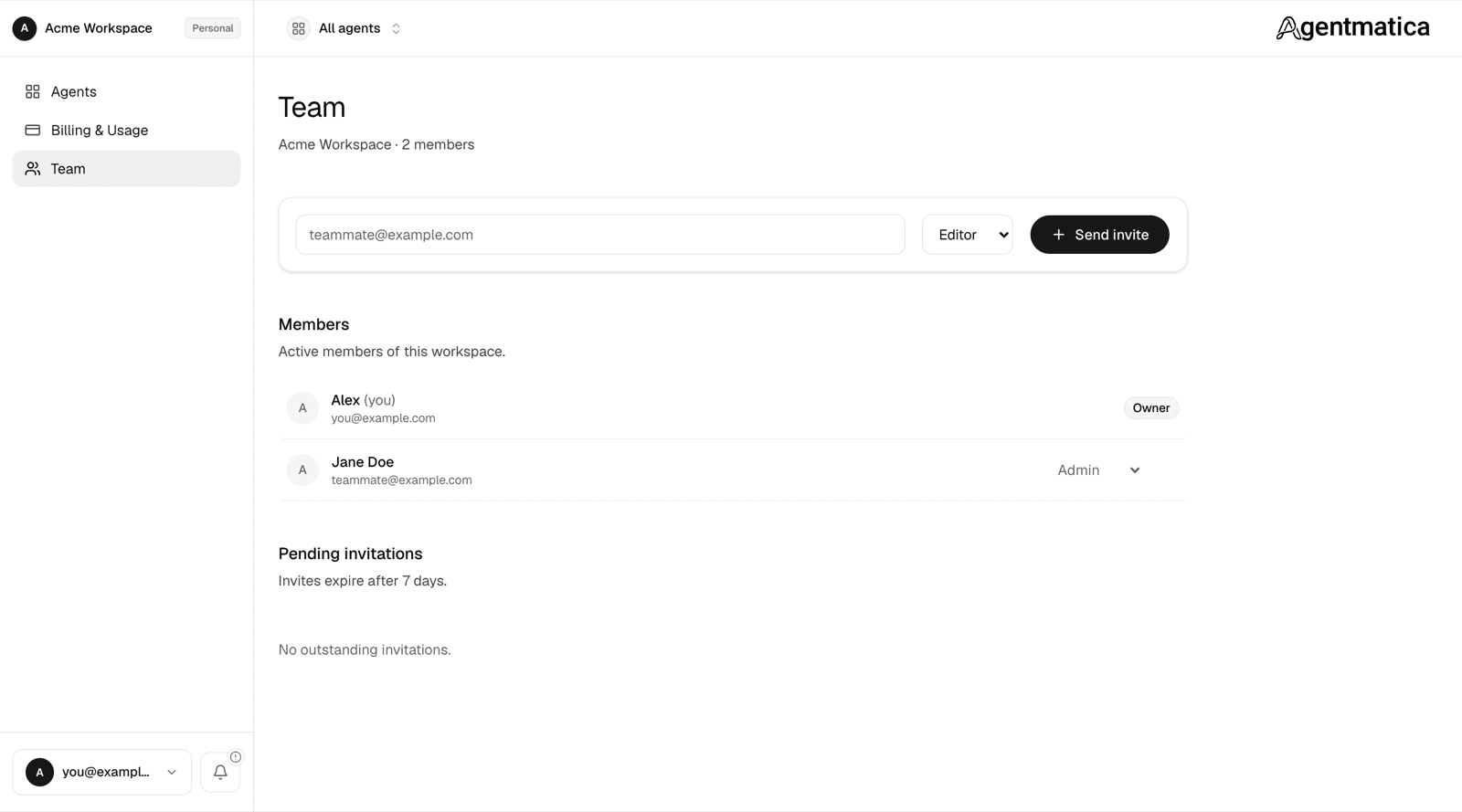
- Open Team in the dashboard sidebar.
- Type their email + role and click Send invite.
- They get an email with a 7-day link. Clicking it adds them to your workspace. If they don't have an Agentmatica account yet, they'll sign up first, then land in the workspace.
Pending invites show in the Team page until accepted or expired. Admins can revoke them anytime. Invitees who already have an account see the pending invite on their own Settings page and can accept or decline it there.
Switching workspaces
Members of several workspaces switch between them from the picker at the top of the sidebar. Inside a workspace, the agent switcher in the agent sidebar jumps between agents without going back to the home page.
Limiting a member to specific agents
Owners and admins see every agent. Editors and viewers see only the agents they are assigned to; an unassigned editor sees an empty agent list. Assignment happens in two places:
- At invite time — for an editor or viewer, the invite form lists your agents with everything ticked. Untick the ones they should not see and the access applies the moment they accept.
- Later — open the agent, go to Notifications → Agent Members, and add or remove the person there. The Team page shows each member's access as “All agents” or “2 of 6 agents”.
This is enforced in the database, not just hidden in the interface: conversations, leads, sources, and API tokens for an agent are invisible to anyone not assigned to it.
What members can see
All members of a workspace see the same agents, conversations, leads, insights, and team settings. Billing and quotas apply to the workspace as a whole — not per seat.