


Build the agent
Proactive & sales assist
Catch checkout hesitation, suggest the right add-on, coach the agent to sell, and keep every answer ending with a useful next step.
Where to find it
All of this lives in Agent → Agent behavior → Proactive & Live Sales, with sales notes under Playbook on the same page. Everything here is available on every plan.
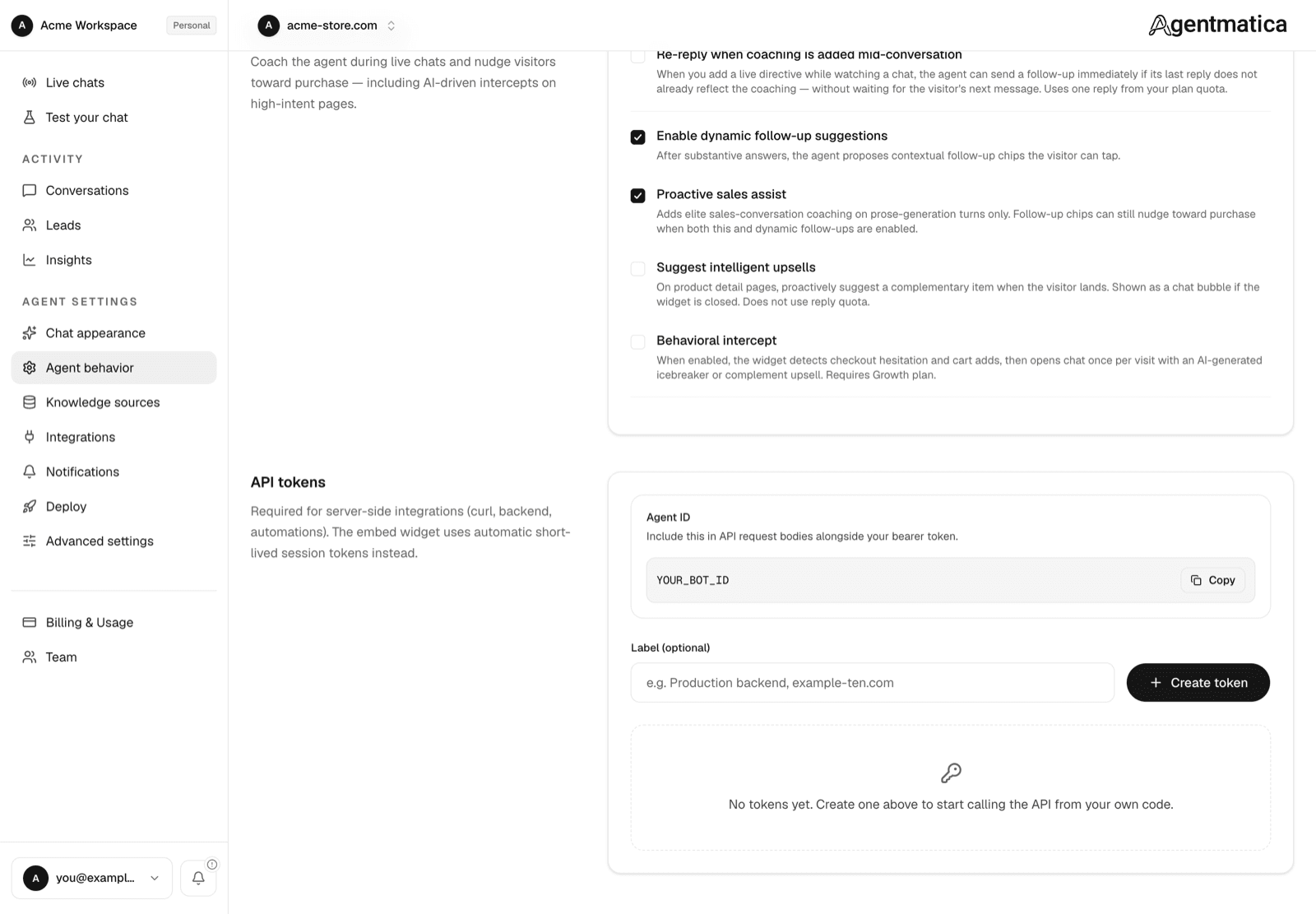
Proactive sales assist
When on, every visitor-facing reply is coached to behave like a good floor salesperson: qualify what the visitor wants, recommend rather than list, surface the fastest route to a cart or a booking, and keep prose short (two to four sentences, never a catalog dump). It also biases follow-up suggestions so at least one chip nudges toward the next step in a purchase.
The default is decided per agent: on when the site was detected as an online store, or when a Shopify or custom MCP connection exists; off otherwise. Override it either way with the switch.
Sales notes
Under Playbook, a free-text field (up to 1,000 characters) for standing coaching the agent applies in every chat: current promotions, what to recommend with what, shipping thresholds, which products to steer away from. The crawler never overwrites it. Unlike a live directive, this applies to all conversations, not one.
Free shipping over $75 — mention it whenever a cart is under that.
Recommend the care kit with any leather bag.
Never offer a discount; mention free shipping instead.
Dynamic follow-up suggestions
On by default. After a substantive answer the agent proposes three short follow-up questions written in the visitor's voice (“Does it ship to Canada?”). They are suppressed after an escalation, once a lead has been captured, and right after a cart change so they never compete with a checkout link.
Re-reply when coaching is added mid-conversation
Off by default. When a teammate adds a live directive to an ongoing chat, the agent normally applies it from the visitor's next message. Turn this on and the agent immediately sends a fresh reply that reflects the new instruction instead of waiting.
Complementary suggestion
Off by default; the switch is labelled Suggest intelligent upsells. When a visitor lands on a product detail page, the agent picks a complementary item from your catalog and offers it. If the widget is closed the suggestion appears as a small chat bubble next to the launcher, so it never covers the page. These suggestions do not use reply quota. Needs a connected Shopify or WooCommerce catalog.
Behavioral intercept
Off by default. The widget watches for two high-intent moments, checkout hesitation and a cart add, and opens the chat once per visit with an AI-written icebreaker or a complementary suggestion.
- Enabled — master toggle.
- High-intent page URLs — optional extra URL substrings for hesitation detection, one per line, for example
/subscribeor/book-demo. Checkout, cart, and pricing pages are always included.
Every intercept is logged as an Behavioral intercept event, so your team can get a push alert the moment a hesitant checkout or a high-value cart add is caught; see Notifications. Pages listed under Deploy → Visibility as excluded never show the widget, so an intercept cannot fire there.
/ to the high-intent list.