


Connect tools
Telegram live handoff
Staff-only live support via Telegram forum topics. Visitors stay on your website widget; your team replies from Telegram.
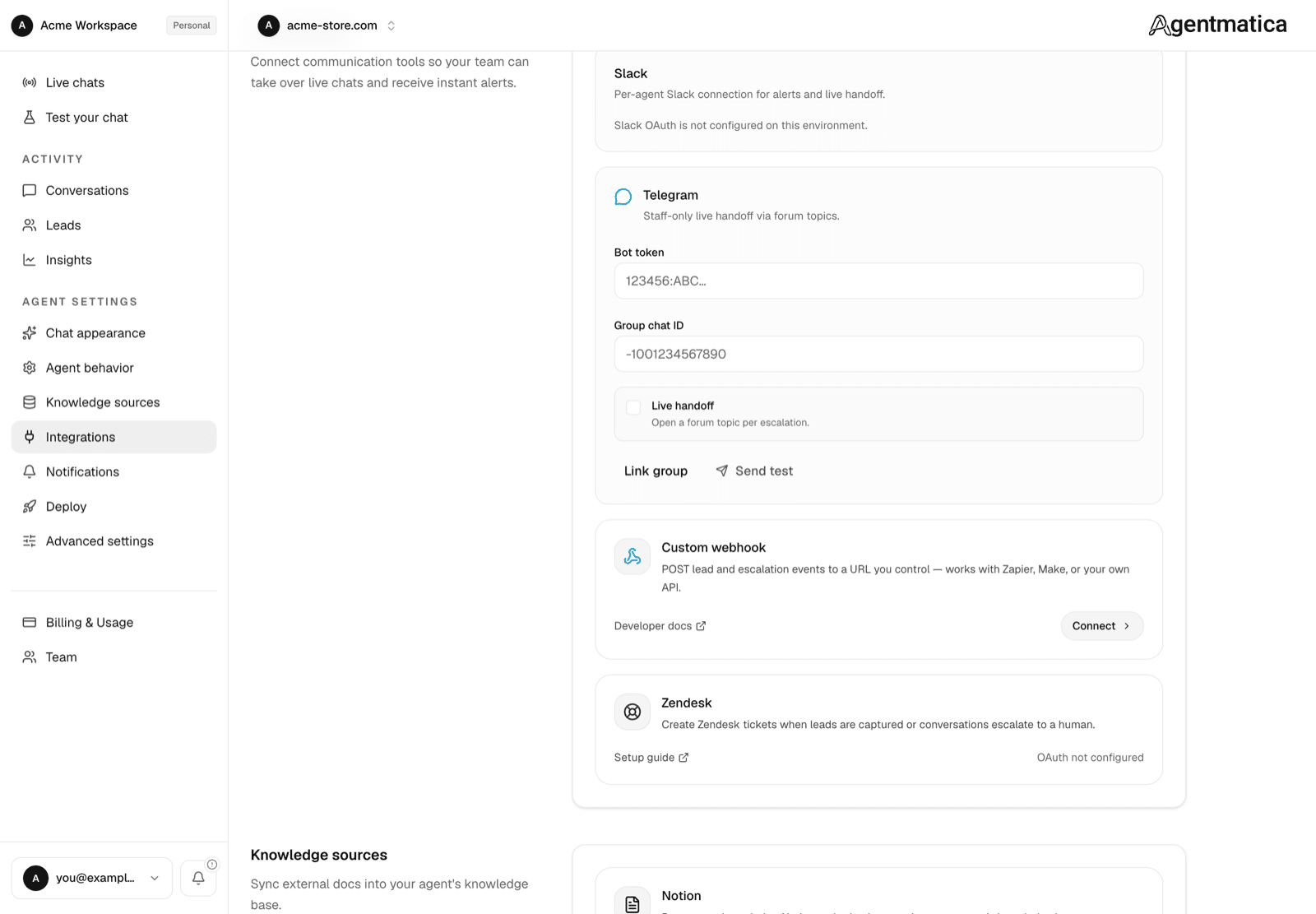
Setup
- Message @BotFather on Telegram and create a bot. Copy the token.
- Create a supergroup and enable Topics (forum mode) in group settings.
- Add your bot as an admin in the group.
- In Agentmatica → agent → Integrations → Team Handoff → Telegram, paste the bot token.
- Click Link group, then send
/linkin the Telegram group (or paste the chat ID manually). - Enable Live handoff and save.
How it works
When a visitor asks for a human, Agentmatica creates a new forum topic in your group with context and a dashboard link. Staff reply in that topic; messages sync to the widget in real time.
Visitor messages while in human mode are forwarded into the same topic.
Getting the chat ID manually
Add your bot to the group, send any message, then open https://api.telegram.org/bot<token>/getUpdates and look for chat.id (usually starts with -100).