


Connect tools
WordPress
Connect any WordPress site with the Agentmatica for WordPress companion plugin. It ships a UCP-aligned MCP server — WordPress content is always available; WooCommerce adds catalog, in-chat cart, checkout, post-purchase support, and AI order attribution when installed.
Auto-detection
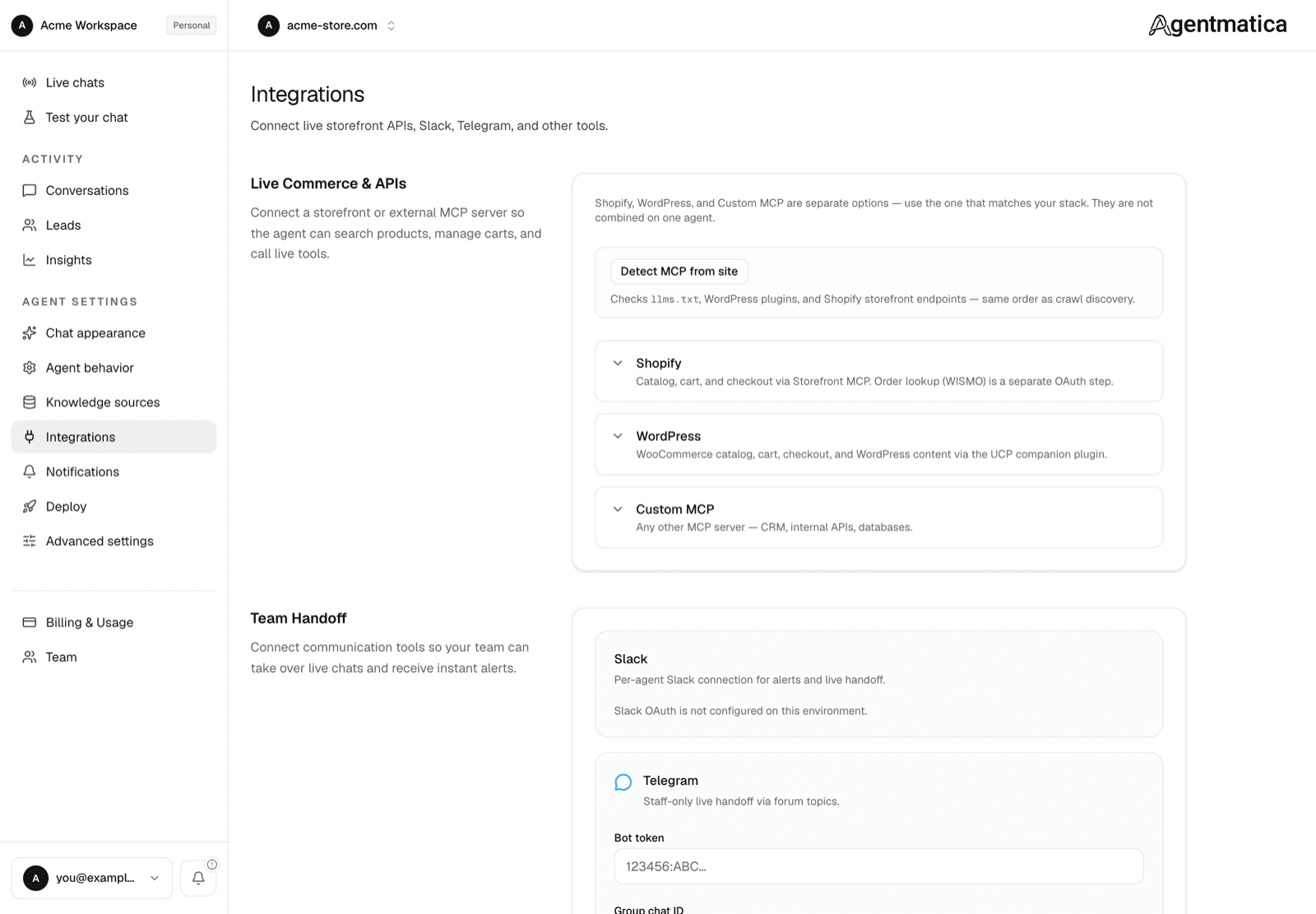
With the plugin active, the next crawl of your site usually finds its MCP endpoint. The dashboard then shows a notice offering to connect it — accept and you're done. You can also press Detect MCP at the top of the Integrations page at any time, or Detect again on the WordPress card after moving hosts.
Agentmatica for WordPress (manual)
- Install and activate Agentmatica for WordPress (companion plugin).
- Open Settings → Agentmatica and copy the UCP MCP endpoint + integration token.
- In Agentmatica → Integrations → WordPress, paste the integration token and Save token.
- Optional: install WooCommerce for product catalog, in-chat cart with one-click add-to-cart on browse cards, checkout link, order lookup, post-purchase actions, and revenue attribution in Insights — activates automatically, no plugin toggle required. See WooCommerce.
- From Agentmatica → Deploy, copy the WordPress PHP embed snippet shown once WordPress MCP is connected. It wires the logged-in customer token used for order lookup and post-purchase support.
https://your-site.com/wp-json/agentmatica/v1/ucp/mcpAuth header: Authorization: Bearer amk_wp_…
UCP business profile: https://your-site.com/.well-known/ucp
Core modules
- WordPress content (always on):
agentmatica_site_info,agentmatica_pages_list,agentmatica_posts_list,agentmatica_content_get - WooCommerce (when installed): UCP catalog tools (
search_catalog,get_product, …), chat cart (create_cart,update_cart,create_checkout), order lookup, and merchant-gated post-purchase writes.
Widget embed (Woo parity)
When WordPress MCP is connected, the Deploy tab provides a PHP snippet with data-amk-logged-in and data-amk-customer-token-url pointing at /wp-json/agentmatica/v1/customer-token. Browse cards support one-click add-to-cart via the Woo Store API (with classic URL fallback).
Generic WordPress MCP (fallback)
Without the companion plugin, you can still connect the official WordPress MCP Adapter default server:
https://your-site.com/wp-json/mcp/mcp-adapter-default-serverThis path usually requires a WordPress username and Application Password. For WooCommerce product queries it often needs Shop Manager, which is over-privileged for visitor chat. Prefer the companion plugin.
Permissions
The companion plugin uses an integration token — not a WordPress admin account. Visitor chat can read published content and (when WooCommerce is active) browse products and mutate an in-chat cart only. Product create/update/delete and order admin abilities are not exposed.
/wp-json/agentmatica/* on your WordPress site so live MCP requests succeed in production.