


Connect tools
Shopify
Install the Agentmatica app on your store and the agent can search your catalog, build carts, hand shoppers a checkout link, and look up orders, all from the chat.
Install from Shopify
- Install the Agentmatica app on your store. Opening the app sends you to agentmatica.com.
- Sign up with your email (we send you a sign-in code), or sign in if you already have an account.
- Approve the connection. You land in the dashboard with the store connected: catalog, cart, checkout links, and order lookup are on.
- Open Deploy and copy your Agent ID. In Shopify go to Online Store → Themes → Customize → App embeds, enable Agentmatica Chat, paste the Agent ID, and save.
If you signed up this way, your plan is billed through Shopify. Plan changes start on Billing & Usage and open Shopify's plan page in your store admin. See Billing & quotas.
Already have an account? Connect from the dashboard
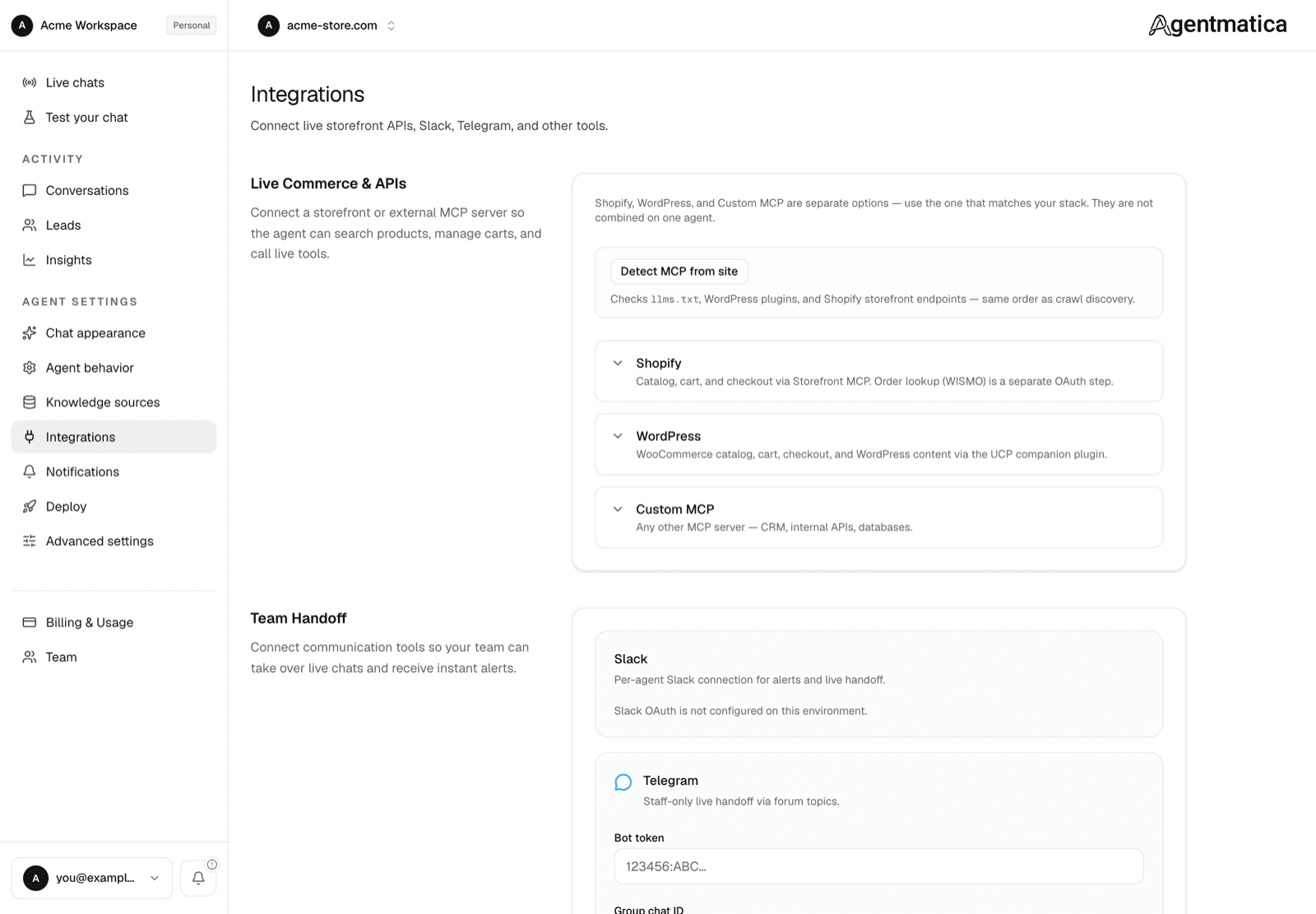
- Open the agent and go to Integrations → Live Commerce & APIs.
- Enter your
.myshopify.comdomain and click Connect Shopify. This links the catalog, cart, and read-only order lookup. Your existing billing stays as it is. - Add the widget with the app embed above, or with the Liquid snippet on the Manual embed tab of Deploy (see Deploy the widget).
The next chat message uses the store tools automatically. No widget rebuild.
Manual alternative: Storefront MCP URL
If you only want catalog and cart, without order lookup, you can paste your store's Storefront MCP URL into the fallback field on the Shopify card instead of connecting:
https://your-store.myshopify.com/api/mcpUse the .myshopify.com address even if your store has a custom domain.
What the agent can do
- Search the catalog by name, attribute, or natural language (“under $50”, “in stock”, “wide width”).
- Recommend products based on what the visitor described.
- Build carts with specific variants and quantities.
- Generate checkouts and share the URL with the visitor.
- Pull order status for guests (order number + email) or automatically for shoppers already logged into the storefront.
Logged-in shoppers (order status without re-asking)
The app adds a Shopify App Proxy at /apps/agentmatica. With the app embed on, the widget asks it for a short-lived customer token whenever a customer is logged in. Agentmatica verifies the token once and stores the identity on the conversation, so the agent doesn't ask for an email or order number again in that chat.
On the manual Liquid snippet, keep the data-amk-logged-in and data-amk-customer-token-url="/apps/agentmatica/customer-token" attributes that Deploy pre-fills. If you connected Shopify before App Proxy scopes were added, reconnect from Integrations so the install includes write_app_proxy.
How it shows in the widget
When the agent calls search_catalog, matching products render as cards inside the conversation — image, title, price, link. The agent writes a short intro/outro around them, not a duplicate list of names and prices.
Post-purchase actions (optional)
After OAuth is connected, open Order lookup (WISMO) and enable Post-purchase agent actions. All writes are off by default:
- Cancel unfulfilled orders (refund original payment, or cancel without refund)
- Update shipping address on unfulfilled orders (same country/state by default)
- Create returns on fulfilled line items
Enabling a write action requires reconnecting Shopify so the install can add write_orders and, for returns, write_returns. The agent only runs these for logged-in Shopify customers, after they confirm in chat. Guests stay on read-only order lookup or get escalated.
Permissions
The catalog and cart use Shopify's public Storefront MCP. The app adds read access to customers and orders for order lookup, plus the App Proxy so logged-in identity can be proven without sharing storefront cookies with Agentmatica. Write scopes are requested only after you enable a post-purchase action and reconnect.