


Build the agent
Settings reference
Every control on Agent → Agent behavior (the page is titled Settings), section by section, with defaults and what each one changes.
Settings apply to one agent. Workspace-wide things live elsewhere: billing under Billing & Usage in the sidebar, teammates under Team, your own push and email preferences under Settings → Notifications on your account. Look and feel of the widget is on Chat appearance; embed, allowed domains, and page visibility on Deploy.
Live site tools
A review card can appear above the form after a crawl: interactive controls the crawler found on your site (search, availability, quotes, store locator). Each has a preview and its own switch, and nothing is enabled until you switch it on. Enabled tools run in the visitor's browser with their own session; the Test your chat page cannot execute them. Details in Knowledge base.
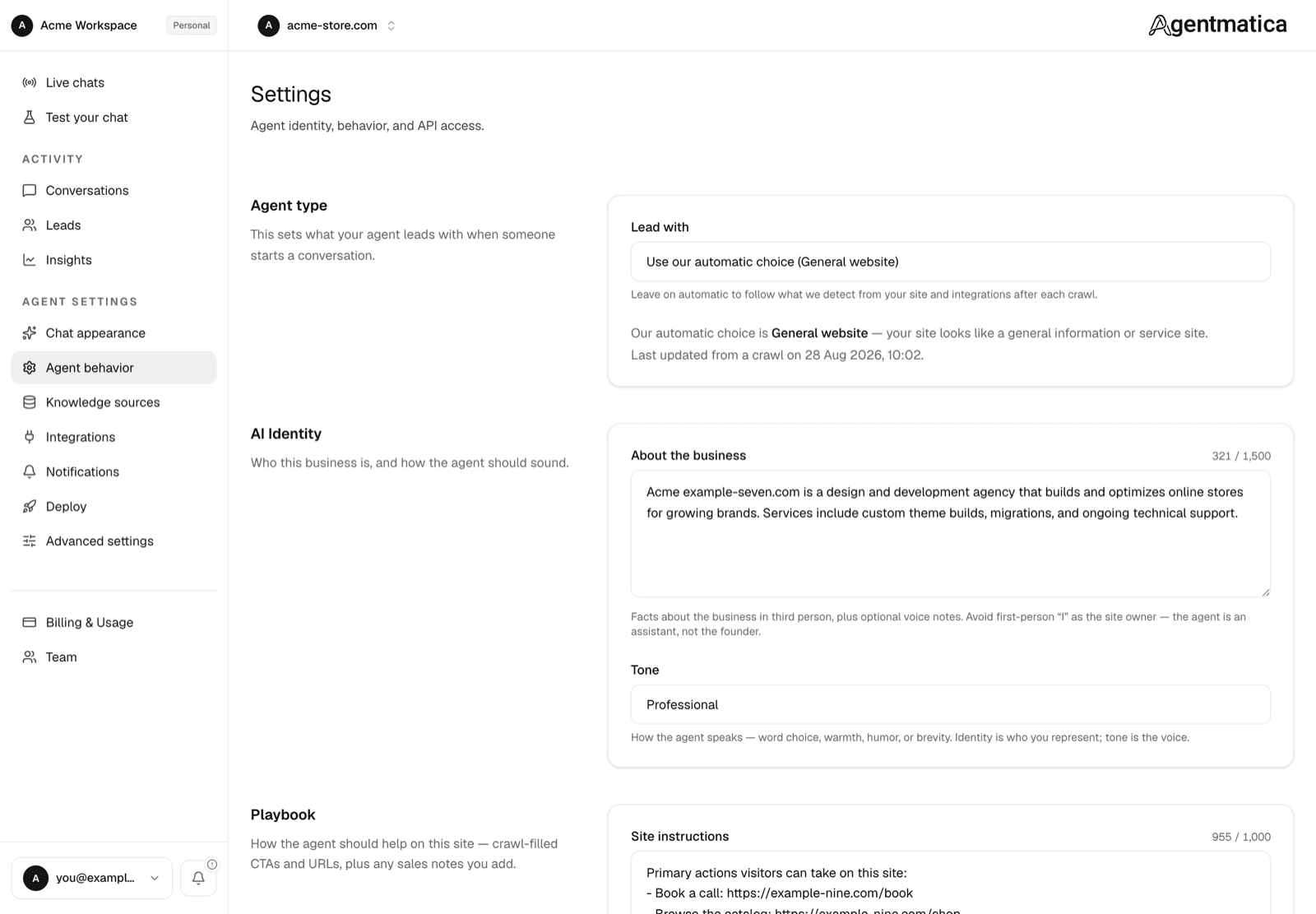
Agent type
- Lead with — Use our automatic choice (default) follows what the crawl and integrations detect. Override with Online store, Appointments and bookings, SaaS website, or General website. The card shows the detected type and when it was last updated.
AI Identity
- About the business — up to 1,500 characters, third person. Facts about the business plus optional voice notes. Anchors what the agent believes it represents; it never speaks as the founder.
- Tone — Professional (default), Friendly, Playful, Technical, Concise, or Customize. Customize opens a free-text field (up to 1,000 characters) for the voice in your own words. Identity is who you represent; tone is the voice. Save, then open test chat to hear a custom voice.
Guidance on writing them in Persona & tone.
Playbook
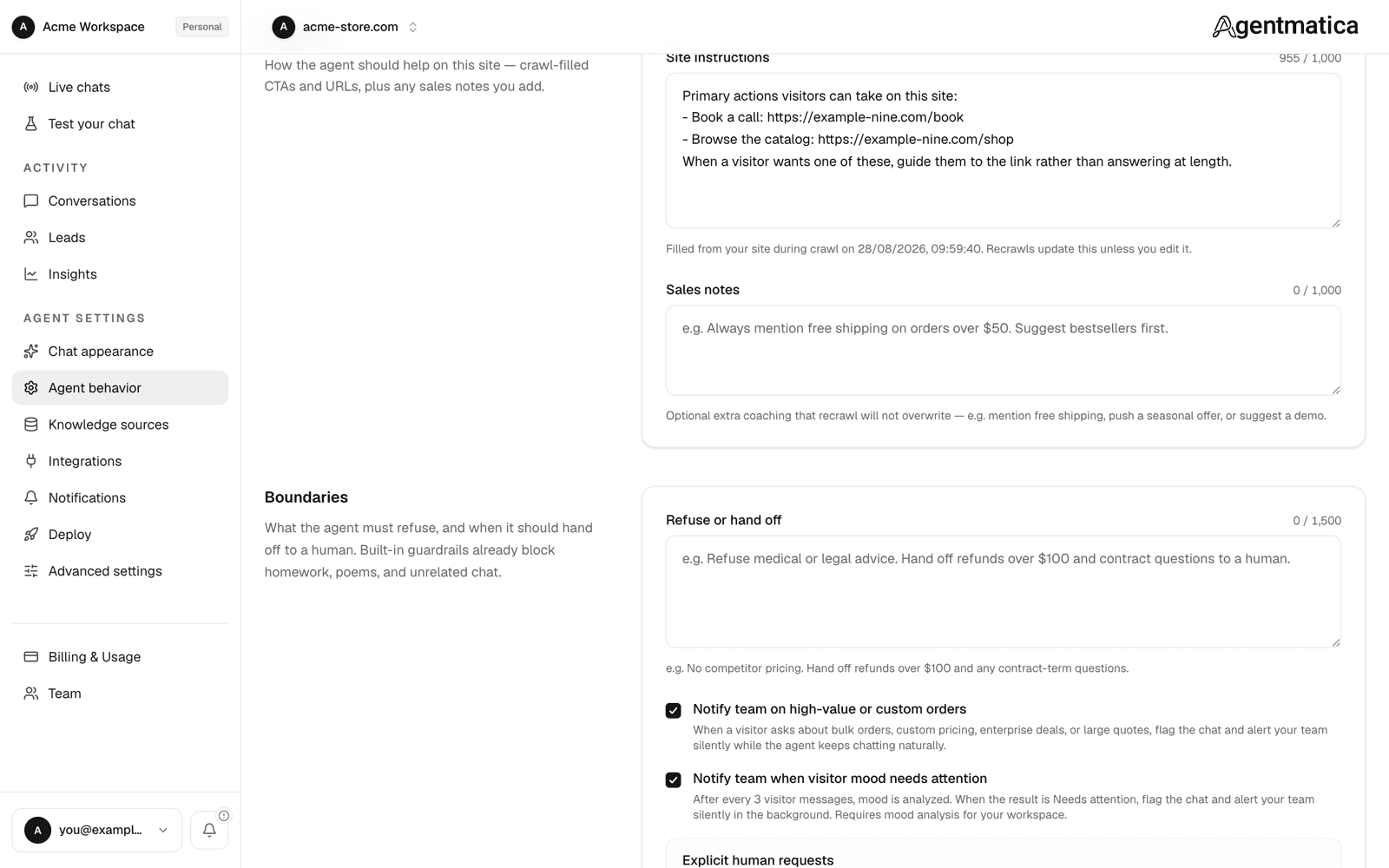
- Site instructions — up to 1,000 characters. Filled in from your site during each crawl: calls to action, booking links, hand-off rules, plus any
llms.txtAgent instructions block. Once you edit the field, recrawls stop overwriting it; Reset to crawl version hands it back to the crawler. - Sales notes — up to 1,000 characters of standing coaching the crawler never touches: free-shipping thresholds, seasonal offers, what to upsell with what, when to suggest a demo.
Boundaries
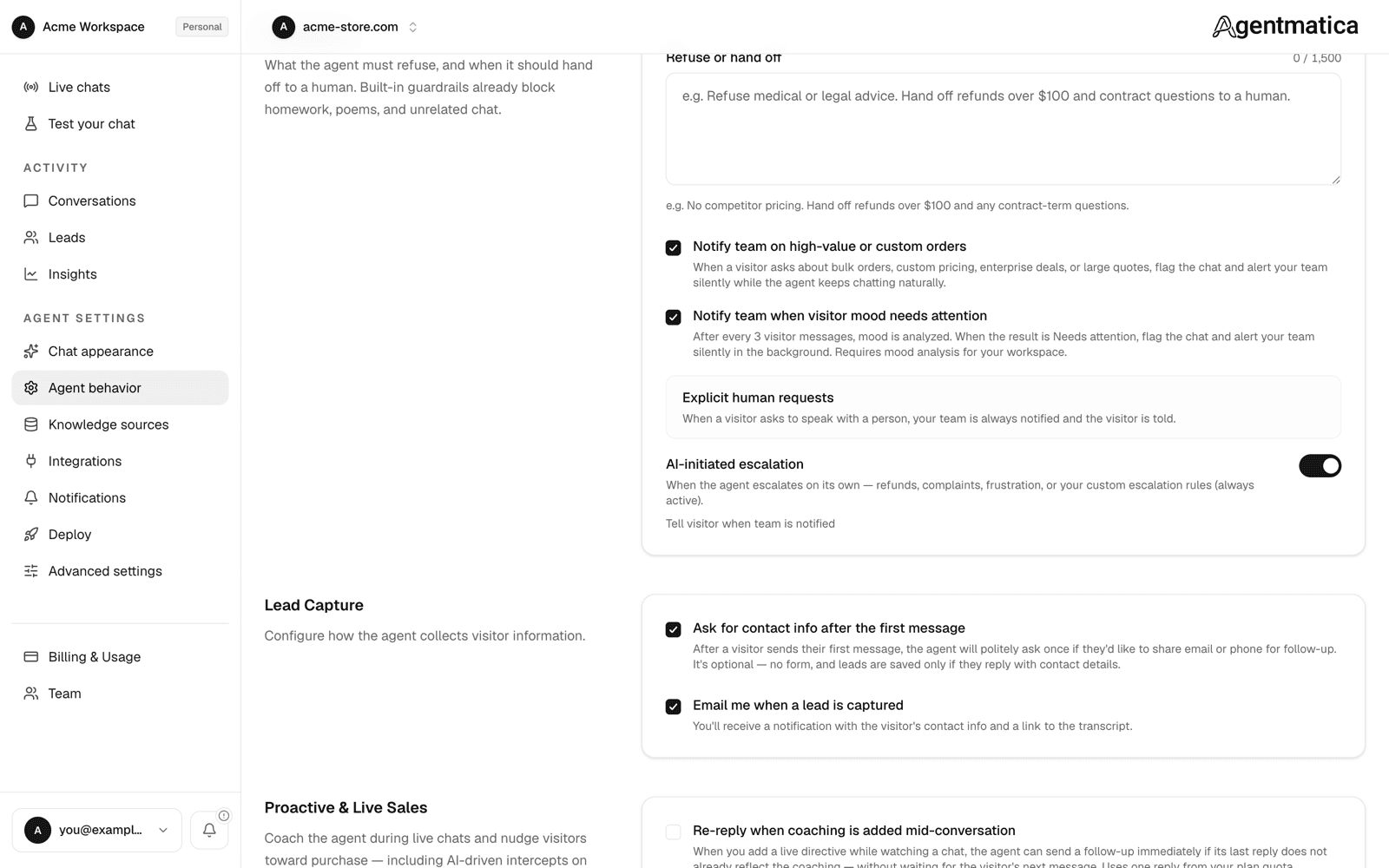
- Refuse or hand off — up to 1,500 characters, one field for both: topics the agent must refuse on top of the built-in guardrails, and the situations where it must hand off to a human (“Hand off refunds over $100 and any contract-term questions”).
- Notify team on high-value or custom orders — default on. Bulk, wholesale, custom pricing, or RFP signals flag the chat and alert the team silently; the visitor is not told.
- Notify team when visitor mood needs attention — default on. Mood is analyzed after every three visitor messages; frustration flags the chat silently.
- Explicit human requests — fixed behaviour. A visitor asking for a person always notifies the team and is told.
- AI-initiated escalation — default on. When the agent escalates on its own (refunds, complaints, your rules) the visitor is told the team was notified. Off keeps it silent.
Knowledge & FAQ
- Platform help web lookup (FAQ fallback) — default off, and shown only when configured for your deployment. Lets the agent look up platform help content when your own index has no match, instead of saying it doesn't know.
Lead Capture
- Ask for contact info after the first message — default on. The agent asks on every reply until the visitor shares email or phone. No form; a lead is saved when they answer.
- Email me when a lead is captured — default on. Sends the lead and a transcript link to the agent owner.
Where leads land and how they are exported: Escalation & leads.
Proactive & Live Sales
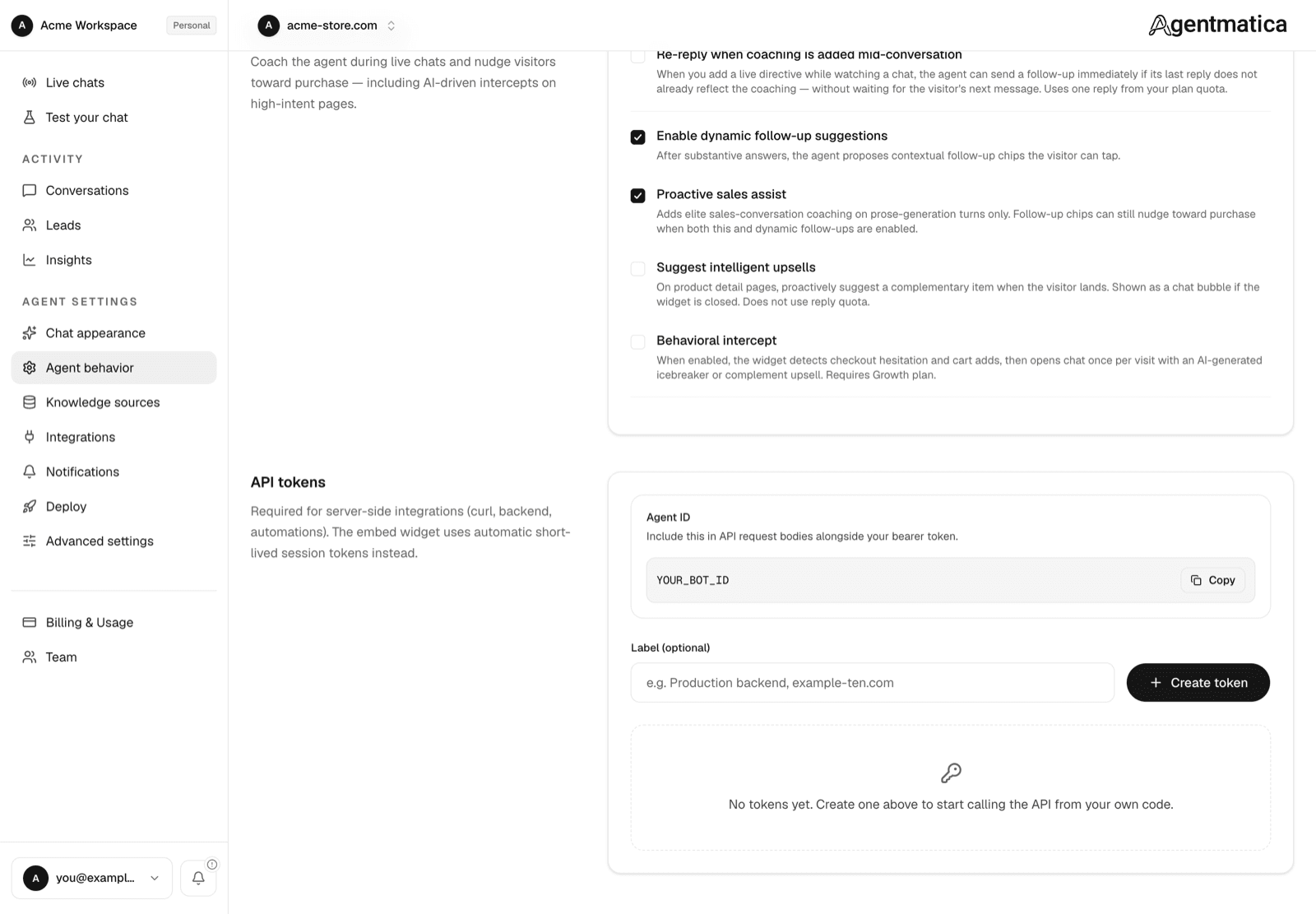
- Re-reply when coaching is added mid-conversation — default off. A new live directive triggers an immediate AI reply instead of waiting for the visitor. Uses one reply.
- Enable dynamic follow-up suggestions — default on. Three tappable follow-up questions after substantive answers.
- Proactive sales assist — default on for stores and agents with a Shopify or custom MCP connection, off otherwise. Sales-conversation coaching on prose replies.
- Suggest intelligent upsells (the complementary suggestion), default off. On product detail pages the agent proposes a complementary item when the visitor lands, as a chat bubble if the widget is closed. Does not use reply quota.
- Behavioral intercept — default off. The widget detects checkout hesitation and cart adds and opens chat once per visit with an AI icebreaker or a complementary suggestion. High-intent page URLs adds extra URL substrings for hesitation detection, one per line; /checkout, /cart, and /pricing are always included.
Worked examples in Proactive & sales assist; whispering to a single live chat in Live chats & whispers.
API tokens
API tokens now live under Advanced settings: the Agent ID to include in API request bodies, plus create and revoke buttons for bearer tokens. The embed widget never uses these; it gets short-lived session tokens on its own. See API tokens.
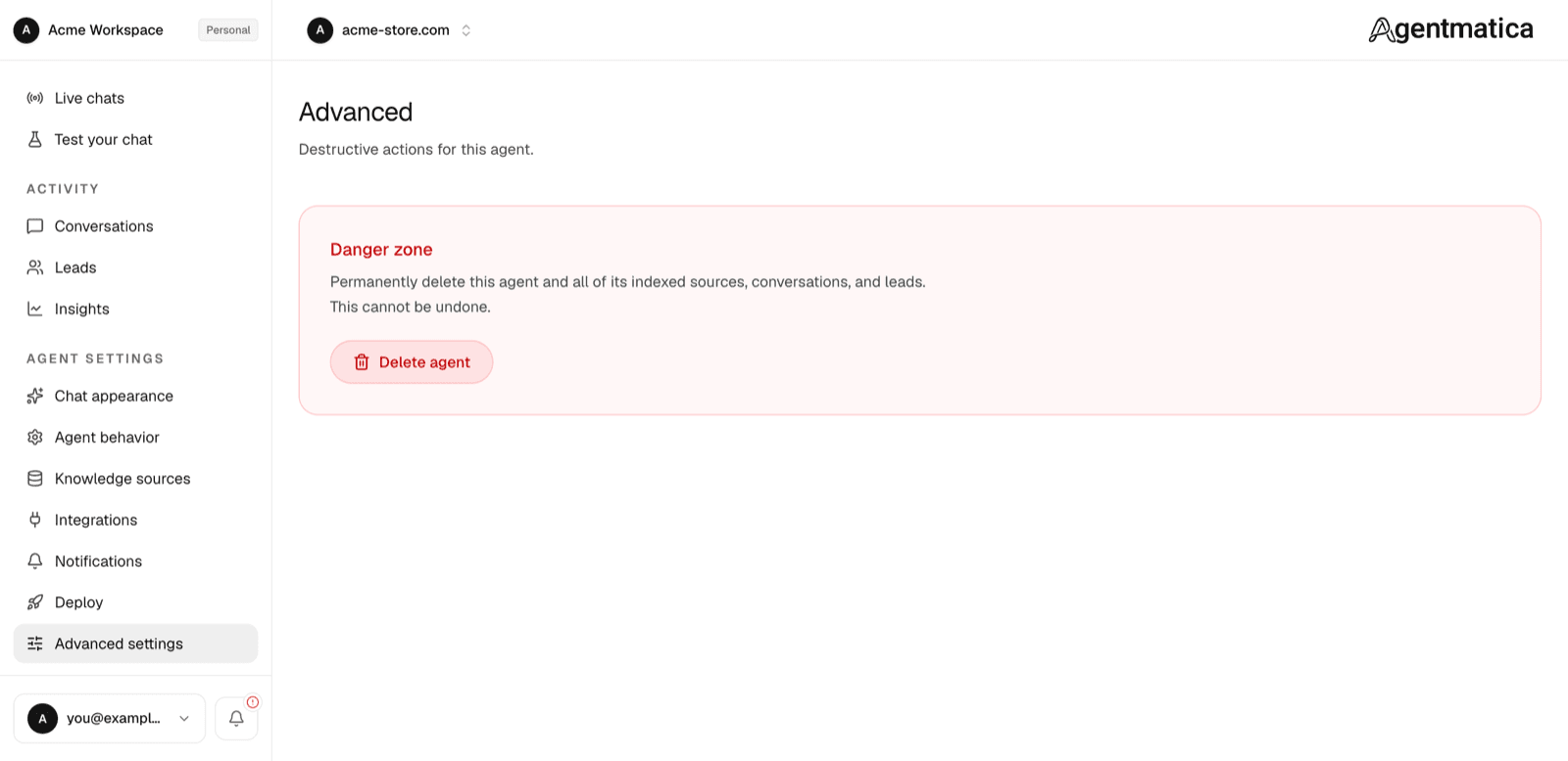
Advanced settings
A separate sidebar entry holding the danger zone: delete this agent and everything indexed for it. Owner and admin only, with a typed confirmation.
Saving
The page tracks unsaved changes and asks before you leave. Most changes reach live chats on the visitor's next message; nothing needs a re-crawl or a widget reinstall.