


Connect tools
Custom MCP endpoint
Plug in any Model Context Protocol server — internal CRM, ticketing system, custom API — without writing code on our side.
What MCP is, briefly
Model Context Protocol is an open standard for exposing tools, resources, and prompts to AI agents. If your system has an MCP server (built-in or via an adapter), the agent can call its tools.
Connect a server
- Open the agent in your dashboard and go to Integrations.
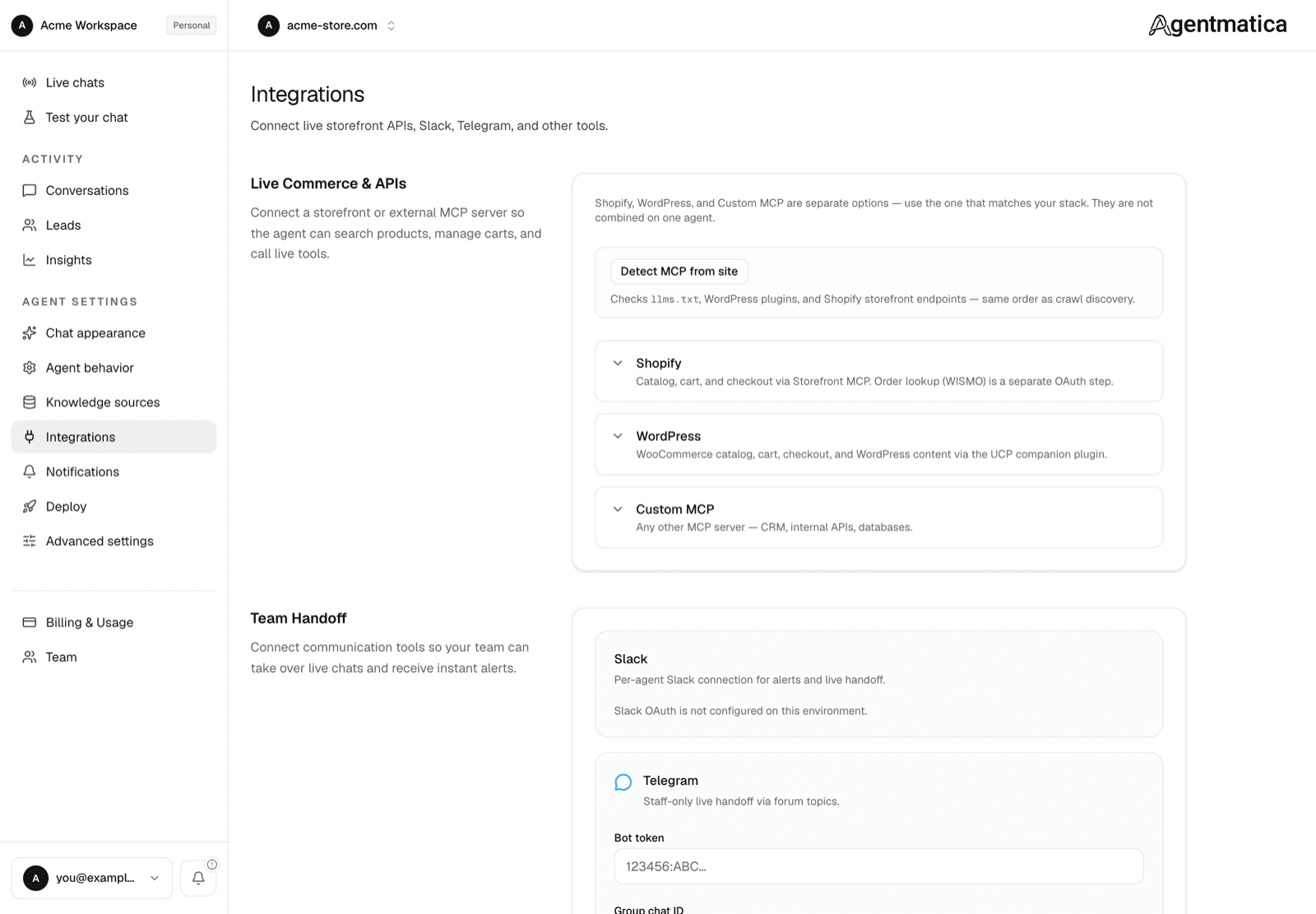
- Under Live Commerce & APIs, open the Custom MCP card and paste your server URL.
- Save.
Custom MCP endpoints require the Scale plan. If your site already exposes an MCP server, Detect MCP at the top of the page finds it and offers to fill this in for you.
On the next chat message, we connect to the server, list its tools, and expose them to the agent. Tool descriptions you write on the MCP server side directly drive when the agent decides to call them — so write them clearly.
What ships transport-wise
- HTTP Streamable (preferred) — fast and standard.
- HTTP SSE — automatic fallback for older servers.
Building your own MCP server
See the official MCP SDKs in TypeScript, Python, and other languages. A minimal server exposes:
- One or more tools (functions the agent can call).
- Each tool has a JSON-schema input and a description.
- Optionally, resources (URI-addressable read-only data) and prompts (reusable templates).
Authentication
On the agent's Integrations → Custom MCP card, the optional Username and Token / API key fields are stored encrypted and sent as an HTTP Authorization header when connecting:
- Username + token → Basic auth (WordPress Application Password style)
- Token only → Bearer auth
- Neither → public MCP servers (no auth header)